
Anything about the other party
Name, address, date of birth, commercial register number. There are ready-made field sets for this that you can import and then shorten or rename.
You paste the contract text once and mark the parts that change. It takes about an hour, once per contract type.
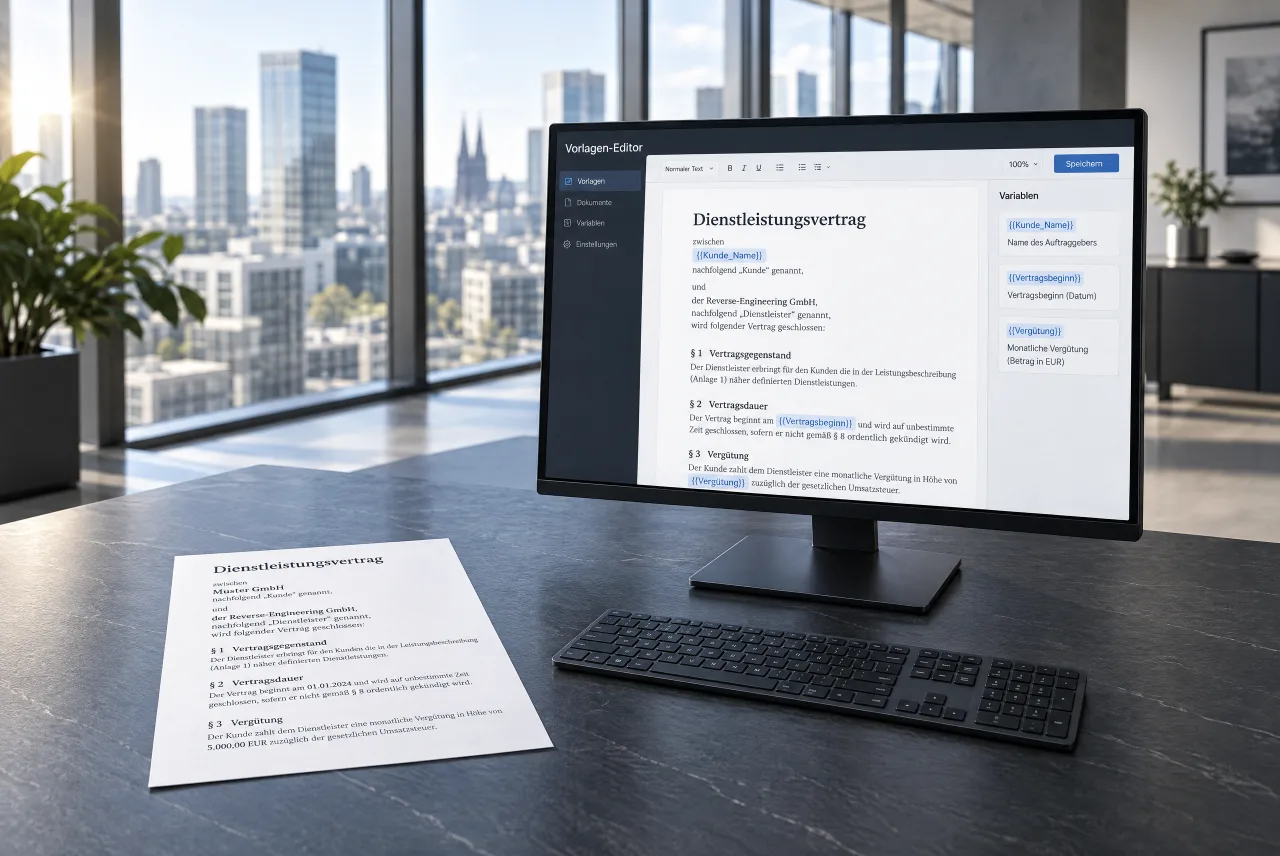
Paste the contract text from your file. Formatted headings are taken over directly. Purely visual formatting (such as enlarged bold text) can be turned into a heading with one click.
Logo, address and footer don’t belong in the body text: these elements are added to every document automatically from your appearance settings.
You mark the spot, give the field a name and say what goes in: text, date, number, amount or list.
After that the version is fixed. If you change a clause later, a new version is created, and the contracts already sent stay as they are.
From Word
The editor knows headings, paragraphs, bold, italics, lists and tables. Custom font sizes, colours, indents and tabs are dropped. They are exactly why a Word document that has grown over the years looks different on page four than on page one. How the text looks in the end comes from your appearance settings, the same for all contracts.
From a PDF
Copying from a PDF transfers plain text, without automatic structure or paragraphs. After pasting, you briefly structure paragraphs and headings by hand.
Before and after
The same contract, once as a Word file and once as a template. Whatever changes is then in one place.
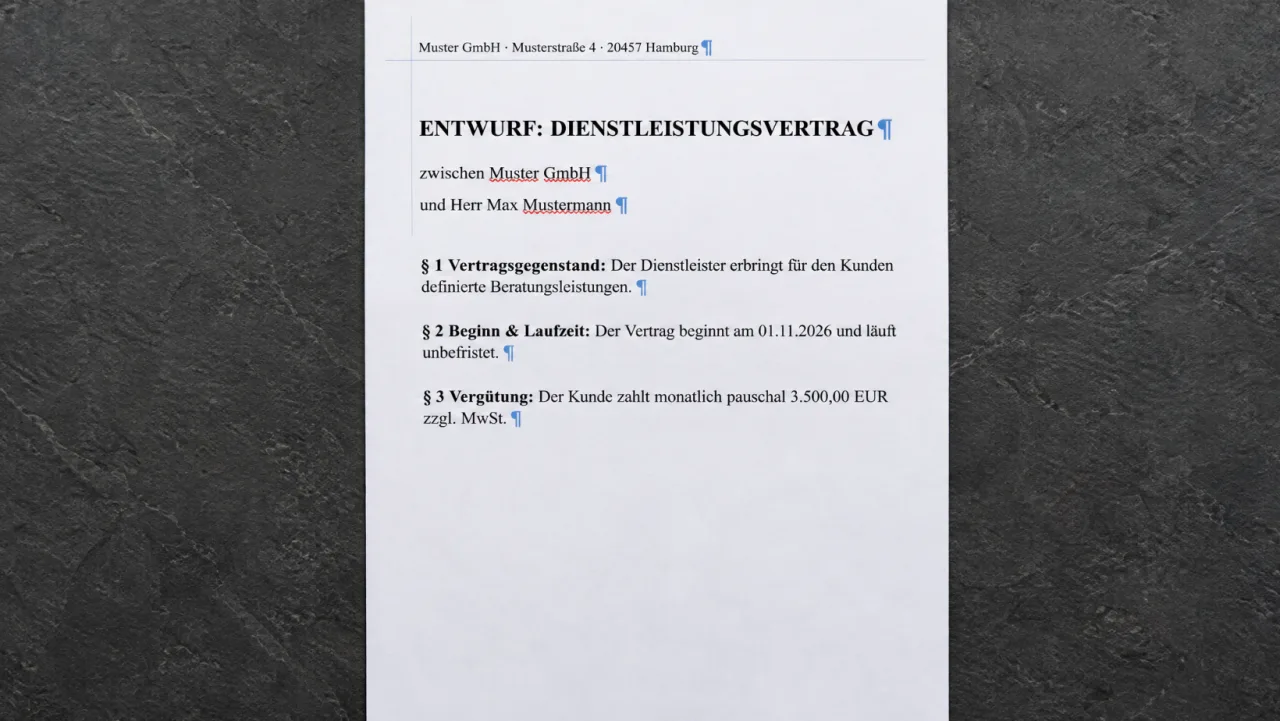
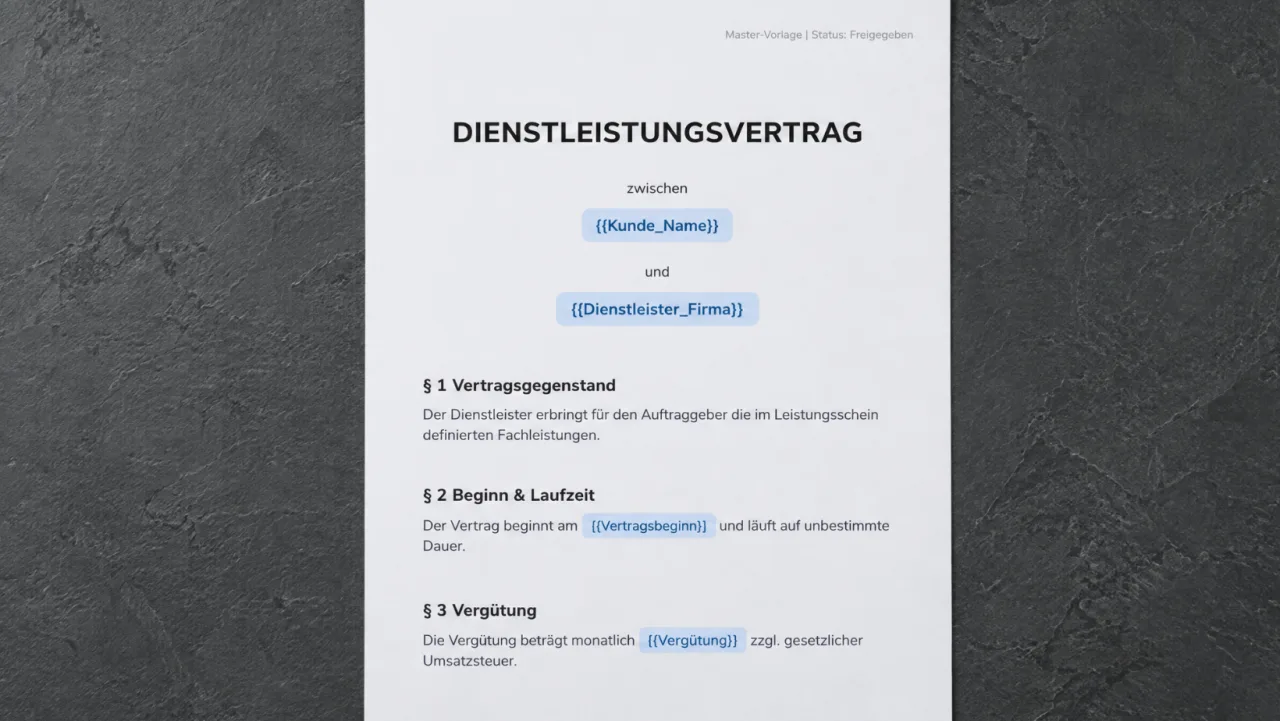
The question is the same for every spot: will this read differently in the next contract?
Name, address, date of birth, commercial register number. There are ready-made field sets for this that you can import and then shorten or rename.
Fee, term, start date and notice periods: you fill in these variable key points for each contract via the predefined fields.
You store your company name, address and VAT identification number once, centrally. They are added to every contract automatically, without you having to define placeholders.
Sign up and we will notify you as soon as the free trial starts.